Webslingers Codes (October 2026)
EXP and Credits are the two things you end up chasing in Webslingers, because swinging around this open-world Roblox game like Spider-Man takes a lot of grinding before you feel genuinely powerful. Webslingers codes speed that part up, putting chunks of Credits and EXP straight in your pocket so you can skip ahead of the slow climb. They don’t stick around long, so it’s worth checking back whenever the developer pushes something new. Here are the ones working right now, listed just below.
Quick Answer: Currently 2 active codes for Webslingers. Codes are case-sensitive, so copy directly from this page to avoid mistakes.
Latest addition: 700KVISITS!. Older, expired codes stay listed below.
Working Webslingers Codes
These are the currently active Webslingers codes. Copy and redeem them now, since most expire within 24-72 hours!
| Code | Rewards |
|---|---|
700KVISITS!NEW | 1,250 Credits and EXP |
600KVISITS! | 1,250 EXP and Credits |
How to Claim Webslingers Codes
Here is how I go about claiming codes in Webslingers.
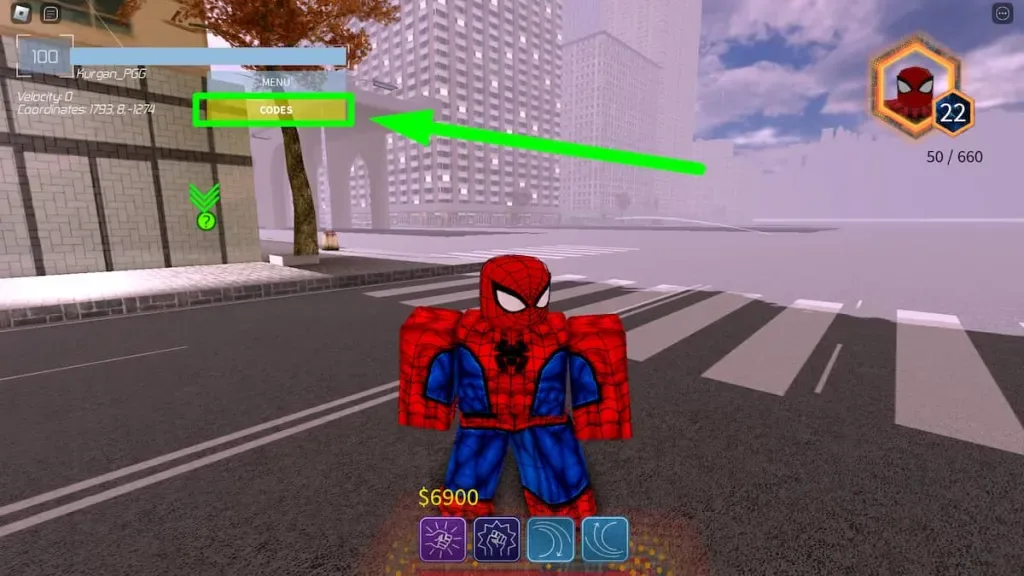
- Open Webslingers through Roblox.
- Tap the Codes button sitting on the left side of the screen.
- Type a working code into the Code text box.
- Hit the Redeem code button to collect your free reward.
Where to Find the Latest Webslingers Codes
Flip on post notifications for @MultipleStuds, because that’s usually where fresh Webslingers codes surface first, typically around a new update or a milestone worth celebrating. This page gets a daily once-over too, so you’re covered either way.
Expired Webslingers Codes
Past code for reference: 1 expired code that the game no longer accepts.
| Expired Code | Was |
|---|---|
SADCODE | 200x XREWARD |
Why are my Webslingers codes not working?
Redeem each Webslingers code the moment it shows up, since they stop working fast and a late attempt means losing the reward. Typos are the other common cause, so copying the code and pasting it straight into the box keeps spelling mistakes out of the equation.